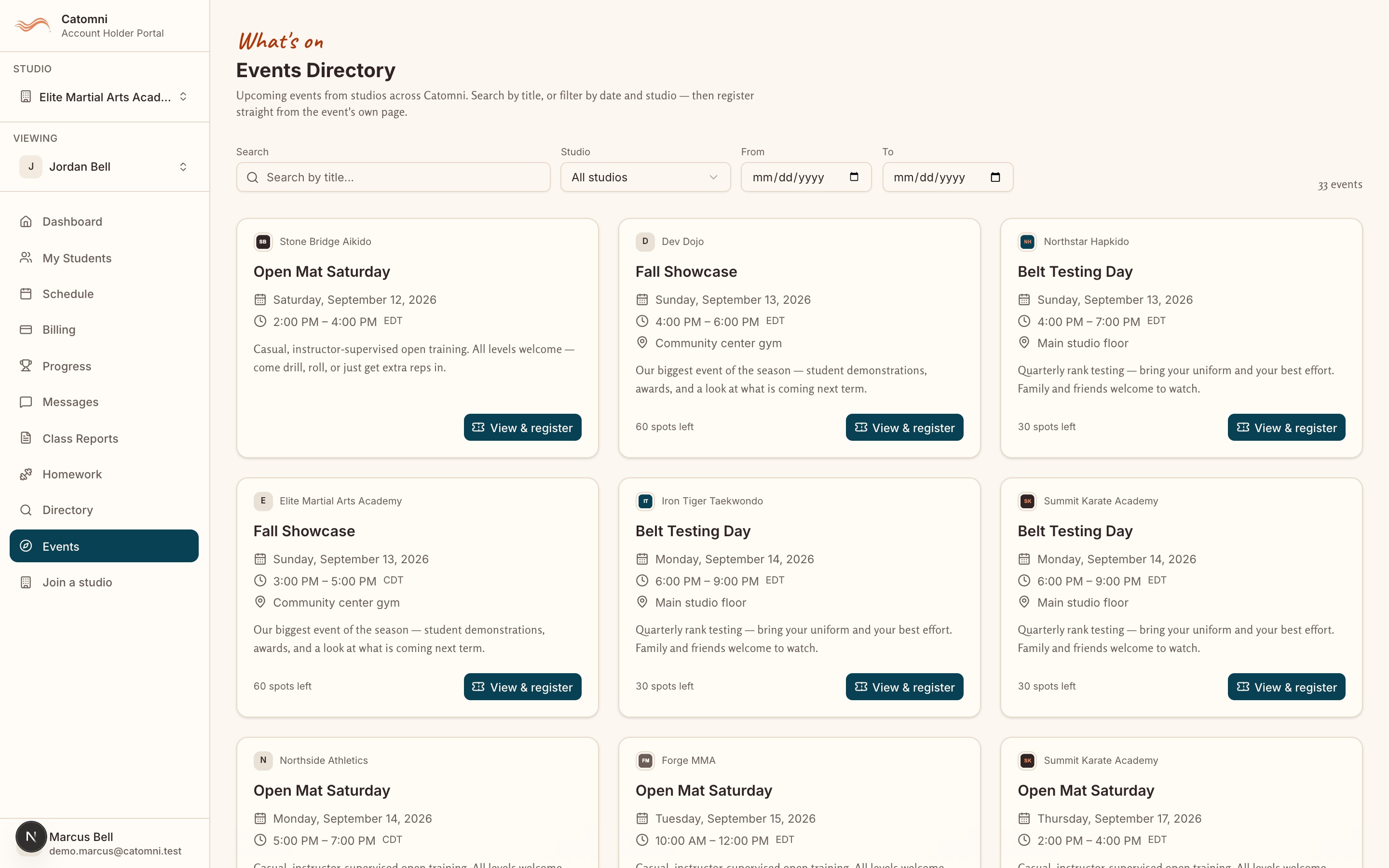
Find and register for an event
Portal sidebar → Events · /events/directory
The Events Directory lists what is on across every studio on Catomni, not only yours. You can also arrive straight at an event from a link, a QR code on a flyer, or a poster at the front desk.
- Open Events. Search by title, or narrow it with the Studio, From and To filters.
- Click “View & register” on an event to open its own page.
- Read the date, time, location, capacity and price, then use the panel headed “Reserve your place”.
- For a free event, click Register. For a paid one, click “Pay {amount} and register” and finish checkout.
- Anyone can open an event page — you can share the link with a grandparent who has no account. Registering needs a Catomni account.
- Payment is taken by Stripe on the studio’s own account: “Payment is taken securely by Stripe on the studio’s account; your place is confirmed once it clears.”
- While you pay, your place is held: “We’ve reserved your spot for a short while. Finish checkout to confirm it.” Abandon it and the seat is released.
- “Full” means capacity is reached. “Members only” means the event is for that studio’s members — “Ask the studio to add you if you think you should be on the list.”
- A registration belongs to YOUR account, not to a particular child.